For macOS 14 and later · Apple Silicon & Intel

Your Mac, at the temperature you choose.

QuellHeat reads every thermal sensor your Mac exposes and lets you decide what the fans do about it. Monitoring is free; the licence unlocks control.

One-time purchase · Two Macs · Signed & notarized by Apple · No account, no subscription

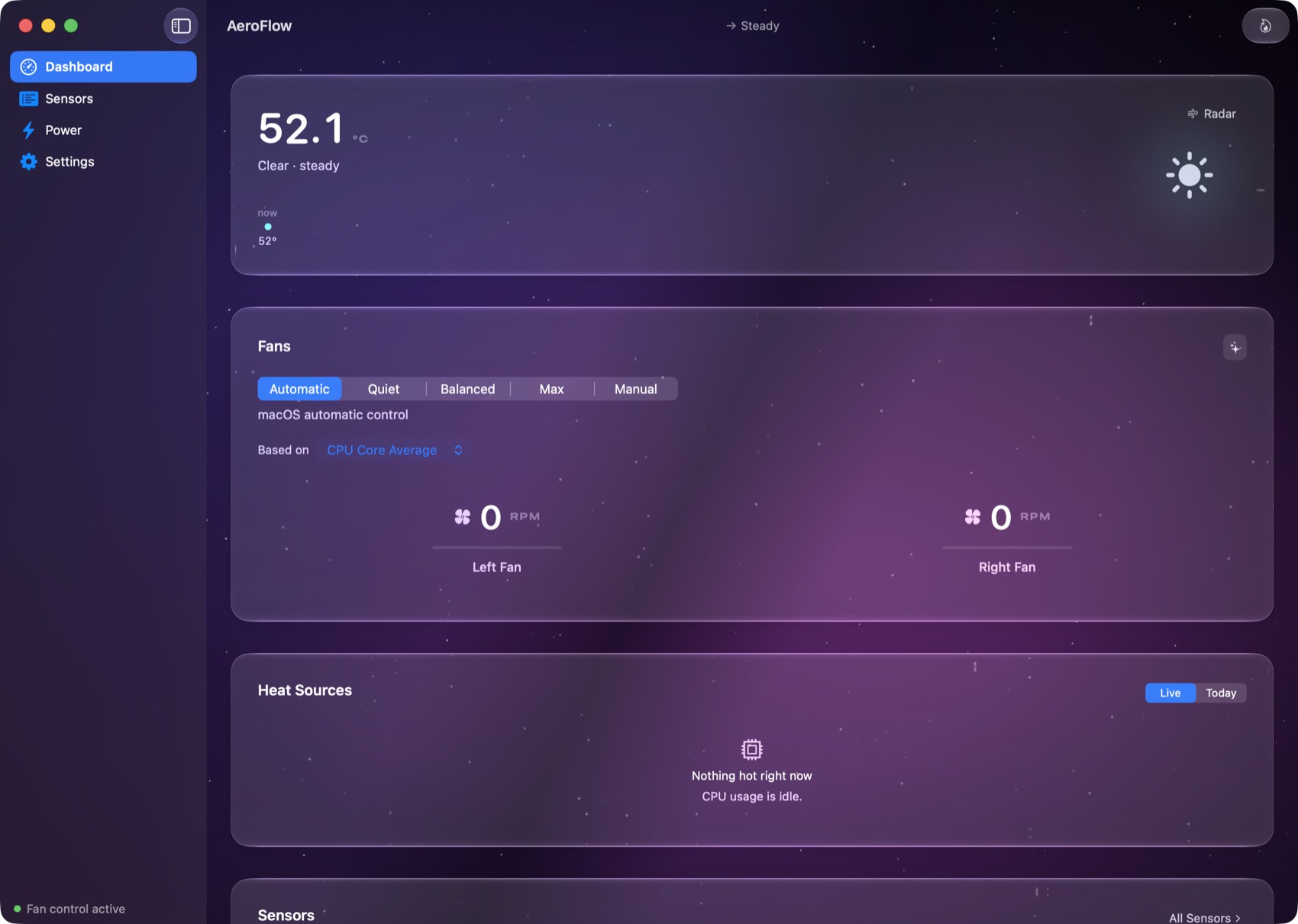
The QuellHeat dashboard on the Desert Dusk backdrop: a large live temperature with CPU, GPU, memory and disk utilisation beneath it, a Power card with battery and wattage detail, fan controls with live RPM per fan, heat sources by process, and a sensor list, all on clear glass cards.
The dashboard: temperature, power, fans, and the processes driving the heat. Real Liquid Glass.
01 · What it does

Every sensor. Your call.

macOS picks your fan behaviour for you and never shows its working. QuellHeat shows you every reading it has, and lets you decide.

01

Every sensor, live

CPU, GPU, battery, power and more, read straight from the SMC and updated continuously. Search them, pin them, and open rolling history on any of them.

02

Fans that obey you

Quiet, Balanced, Max, a fixed manual speed, or one-click custom modes you build yourself, each watching the sensor you choose. Every write is clamped to what your fans actually support.

03

At hand, never in the way

A menu-bar fan that spins at your real fan speed, plus a summonable glass panel that floats over any app on any Space. All of it light on the machine: a 5 MB app that idles quietly.

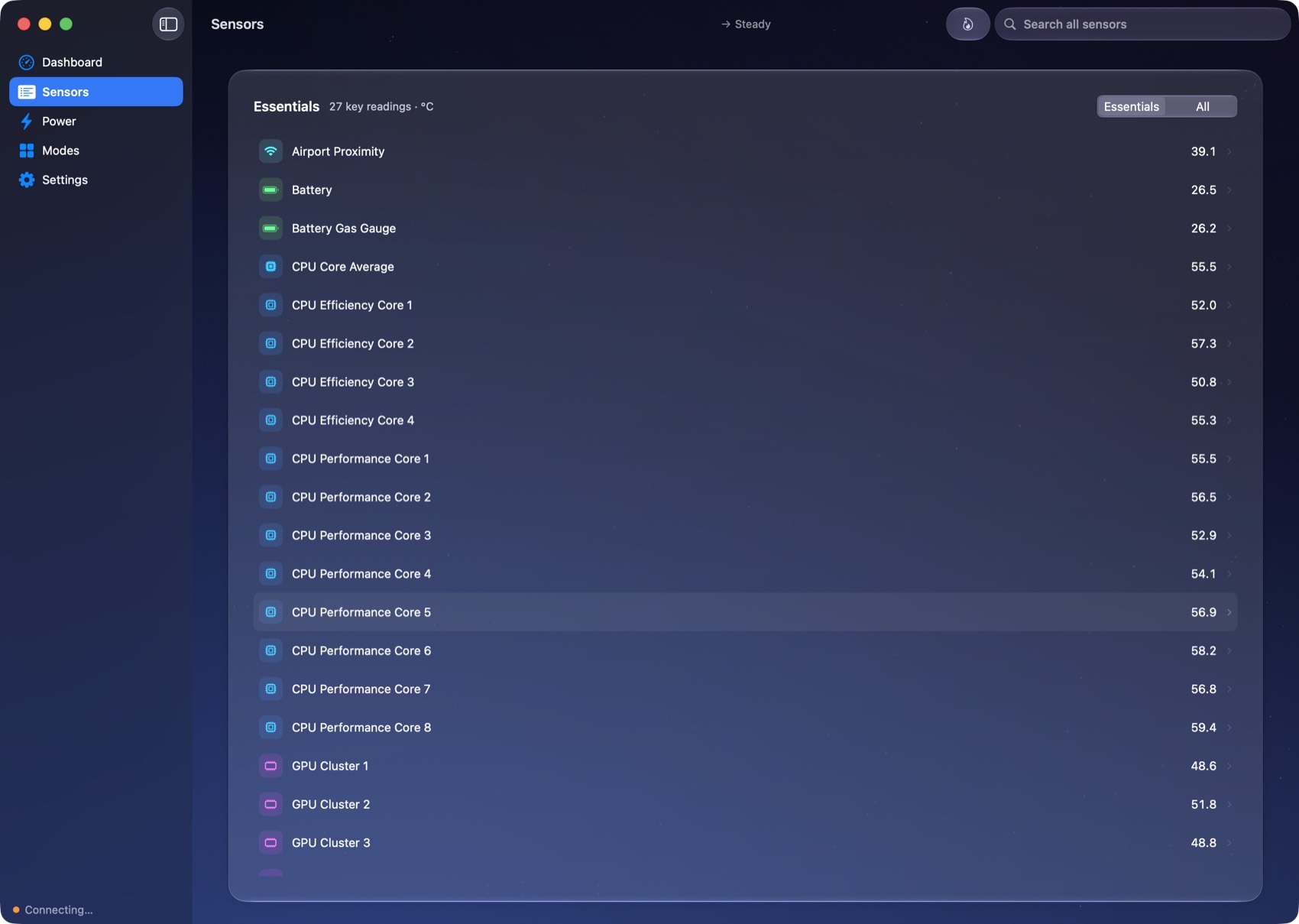
The Sensors view on the Aurora backdrop: a readable list of thermal sensors with live temperatures, searchable and pinnable.
Every sensor your Mac exposes, each with its own history.
02 · Safety

It cannot cook your Mac.

Fan control makes people nervous, and it should. QuellHeat is built so its failure modes are boring.

03 · The interface

Native, and yours.

Real Liquid Glass on macOS 26, native materials before it. Eleven photographic backdrops, each graded once for light appearance and once for dark, so the window follows your Mac instead of fighting it.

The eleven backdrops in their dark renditions, left to right: black volcanic sand, a golden dune, pale wind-combed sand, an aurora, a nebula, a ringed planet, cirrus cloud, a cumulus tower, a desert at dusk, a riviera harbour, and a night circuit.
Black Sand, Golden Dune, Pale Sand, Aurora, Nebula, Ringed Planet, Cirrus, Cumulus, Desert Dusk, Riviera, Night Circuit, plus the system material, which stays the default.
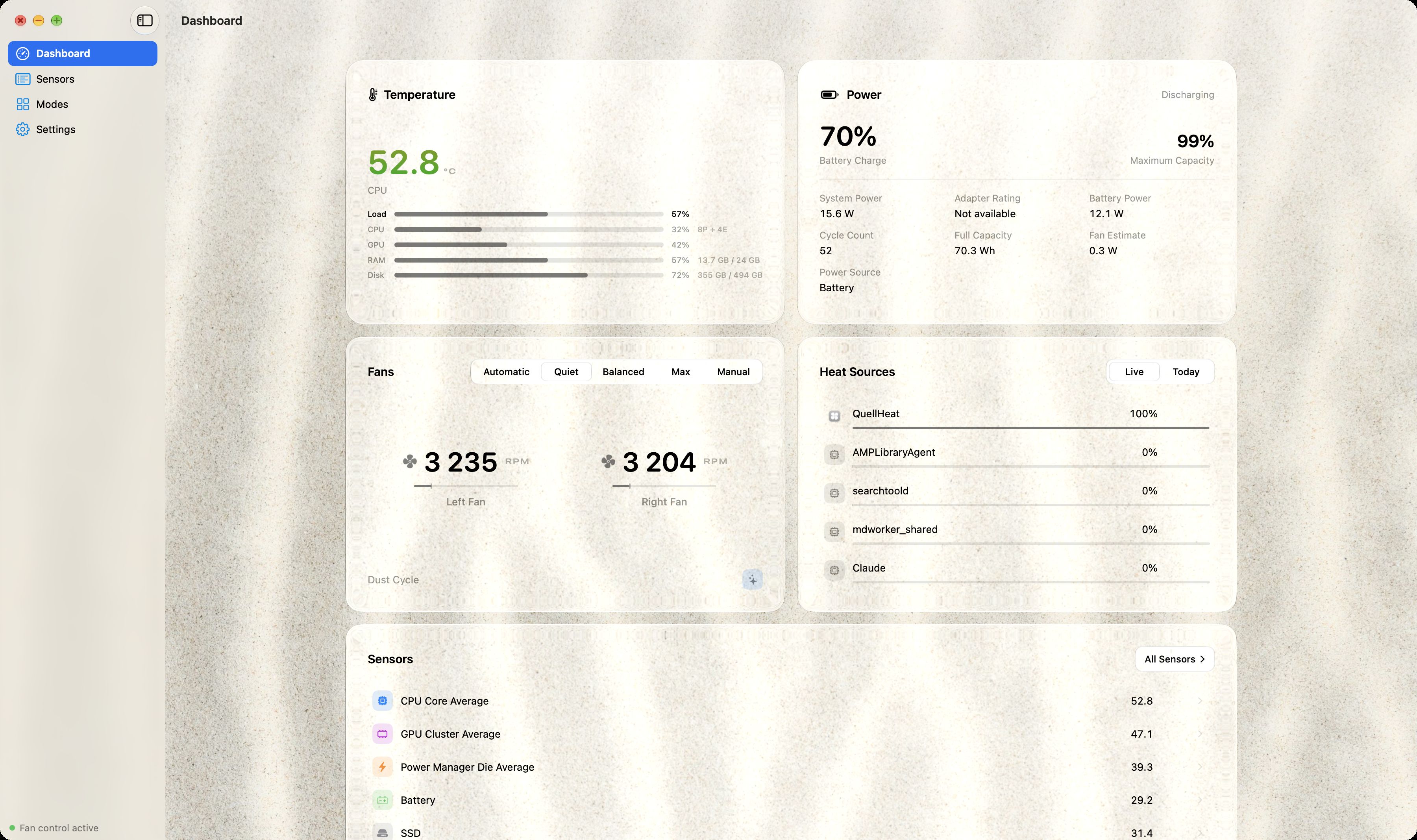
QuellHeat in light appearance on the Pale Sand backdrop: bright sand behind clear glass cards showing temperature, power, fans and sensors.
The same app in light appearance. Every backdrop is graded for both.
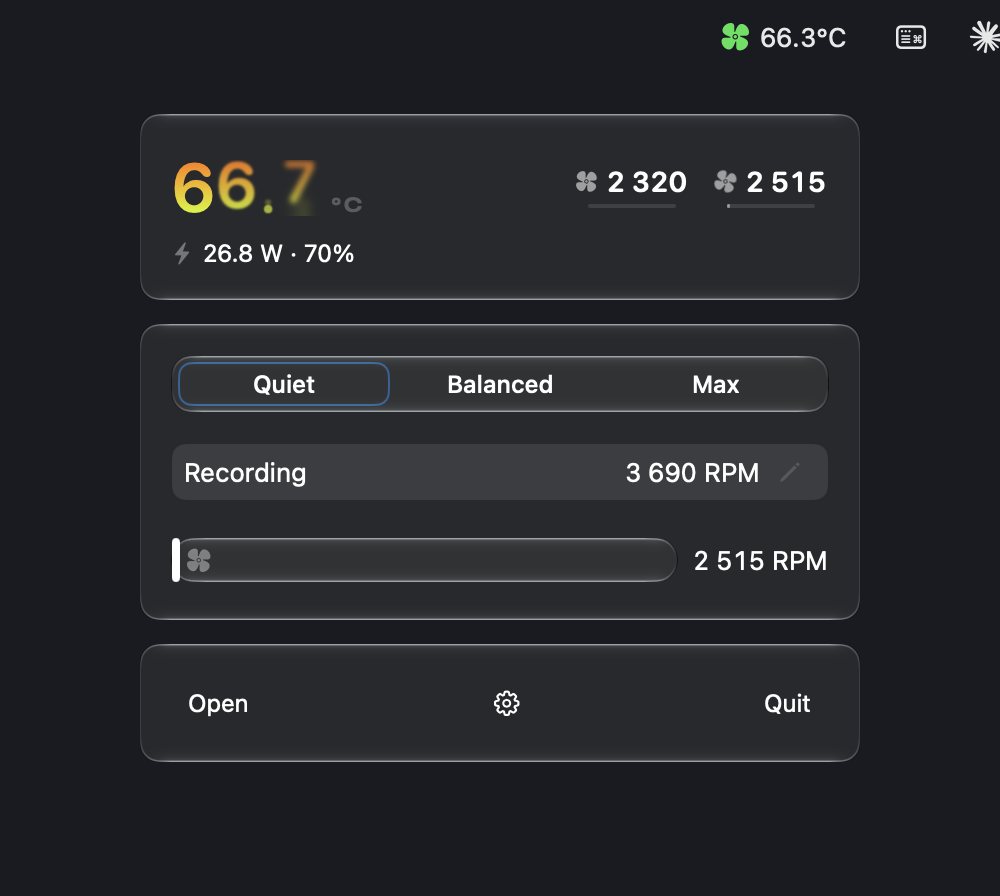
The summon panel: three floating glass tiles showing the live temperature, fan mode controls with a speed slider, and quick actions, summoned with a global hotkey.
The summon panel: one hotkey, over anything, on any Space.
04 · The goal

At $10,000, one of you gets a watch.

QuellHeat is built by one person. When total sales pass $10,000, we're buying a Rolex and giving it away to one person who bought the app. Every licence ever sold is automatically an entry. No extra purchase, nothing to sign up for.

$0 goal · $10,000

Counted by hand from real sales and updated with each release. This page has no tracker behind it, so the bar moves when we ship, not by the second. Draw details and rules will be published right here when we cross the line.

05 · Price

Buy it once.
Keep it.

There's no subscription and no account to create. Monitoring is free forever. The licence unlocks fan control and puts you in the draw.

kr 149one-time
  • 01Your licence never expires
  • 02Works on two Macs
  • 03All future updates included
  • 04Licence key by email in about a minute
  • 0514-day refund, no questions
Buy QuellHeat for kr 149

The licence unlocks fan control, so it needs a Mac with fans. A fanless MacBook Air gets the free monitoring only.

Payment, VAT and invoicing handled by Lemon Squeezy, our merchant of record. Apple Pay accepted.

06 · Questions

Before you buy.

Wasn't this called something else?

Yes. QuellHeat is the new name for AeroFlow. Same app, same team, and any licence key you already have keeps working exactly as before.

Do I have to pay to see my temperatures?

No. Download it and every sensor reading, the menu-bar readout, alerts and history are yours free, forever. The licence unlocks control of the fans.

Which Macs does it work on?

Any Mac running macOS 14 Sonoma or later, Apple Silicon or Intel. On macOS 26 the interface uses true Liquid Glass; on earlier systems it falls back to native materials. Fan control needs a Mac that has controllable fans: a fanless MacBook Air will show sensors only.

Does fan control work on Apple Silicon?

Yes. QuellHeat controls fans on Apple Silicon and Intel Macs alike, as long as the Mac actually has fans. Sensors and fan control both go through the SMC, the same route Apple's own automatic control uses, so nothing is patched or bypassed.

How is it different from Macs Fan Control or smcFanControl?

Those are respectable tools, and monitoring in QuellHeat is free, so you can run it next to either and compare. What QuellHeat adds: one-click custom modes tied to the sensor you choose, a native interface with real Liquid Glass on macOS 26, a menu bar fan that spins at your actual fan speed, power readings, and safety behaviour where the fans always hand straight back to Apple automatic if anything goes wrong.

Is it safe to control my fans?

QuellHeat never overrides macOS thermal safety, clamps every write to the limits your hardware reports, and hands the fans back to Apple's automatic control if anything goes wrong at all, including quitting the app, a crash, or a lapsed licence. Temperature monitoring keeps running in every one of those cases.

How does the watch giveaway work?

Every licence ever bought counts as one entry, past customers included, with nothing extra to do. When all-time sales cross $10,000 we'll publish the full draw rules here and in the app's release notes, pick one licence at random, contact the buyer on their order email, and buy the watch. If the law where you live doesn't allow a draw like this, we'll offer an alternative of equal value where we legally can. The rules published at draw time will say exactly how it's handled.

How do activation and updates work?

You get a licence key by email and paste it into the Activate window once per Mac. It works on two, and a 14-day offline grace period means travelling never locks you out. Updates arrive in the app itself, cryptographically signed and verified, and are included with your licence.

Refunds?

Within 14 days, write to us or to Lemon Squeezy and it's refunded. Keys from refunded orders are disabled and leave the draw.