How to check your Mac's temperature, for free
Your Mac measures its own temperature in dozens of places every second, and macOS shows you none of it. Here is how to actually see those numbers, and how to read them once you can.
Why there's no built-in display
Apple has never said why, but the effect is clear: thermals are treated as the machine's problem, not yours, so there is no temperature anywhere in System Settings and nothing in the menu bar. The sensors are all there, reported by the SMC, the same controller that runs the fans. Any temperature app is really just reading what your Mac already knows.
The free ways to see it
A sensor app (the practical answer)
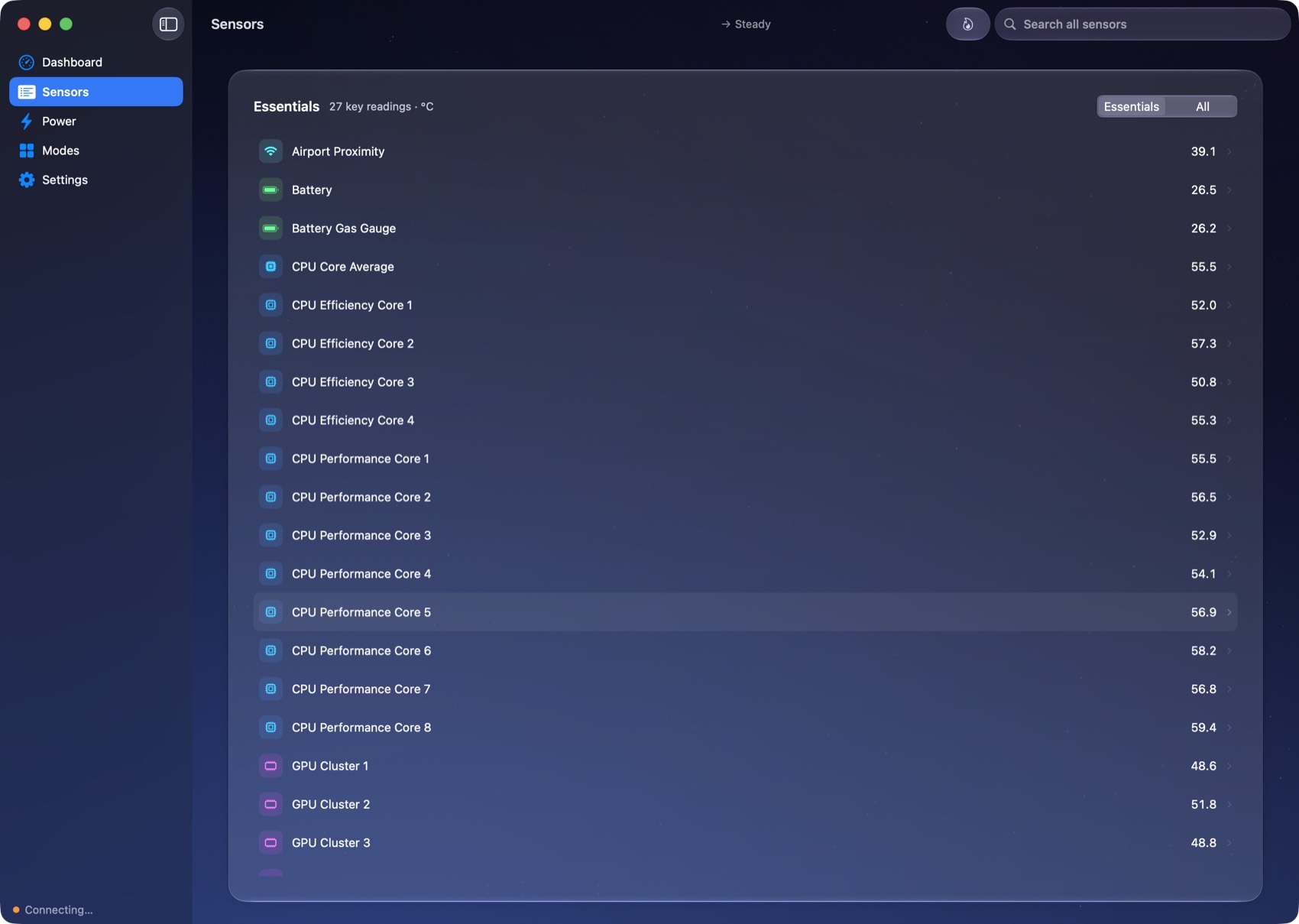
QuellHeat's monitoring is free, forever, with no licence: every thermal sensor your Mac exposes, live, searchable, each with its own rolling history, plus the temperature you care about in your menu bar next to a fan that spins at your real fan speed. That's not a trial; control of the fans is the only paid part, and a temperature check needs none of it. Other apps can show temperatures too; most put the full readout behind a paid licence, which is fair, but if all you want is the number, you shouldn't have to pay for it.
The Terminal (the diagnostic answer)
macOS ships powermetrics, which can print thermal and power snapshots. It needs sudo, its output is built for diagnostics rather than reading, and keeping it running costs more than it tells you. Fine for a one-off check if you live in the Terminal anyway.
What's normal, roughly
- Idle: most Macs sit somewhere in the 30s to 50s °C depending on the room, the chip and what's open.
- Under real load: Apple Silicon will happily run into the 90s and beyond during sustained heavy work. That looks alarming and isn't: the chip is designed to run there, and macOS slows it down long before harm.
- The trend matters more than the number. A Mac that idles ten degrees hotter than it used to is telling you something: dust, a new login item, a stuck process, a hotter room.
Hot at idle is the red flag. High temperatures during a render are the system working. High temperatures while nothing is running deserve a look: open Activity Monitor, check what's eating CPU, and see our guide on quieting a loud MacBook fan for the usual culprits.
If you decide you want a say in the cooling
Watching temperatures is free. If you get to the point of wanting the fans to behave differently, on calls, while gaming, in a hot room, that's the part QuellHeat charges for, once: see how fan control works on Apple Silicon for what's actually possible.