Macs Fan Control alternatives, compared honestly
We make one of the apps on this page, so read it with that in mind. But the comparison itself is straight: what each option costs, what it actually does, and who each one is right for.
The short version
Everything below reflects each app's public pages as of August 2026; pricing and features do change, so check the vendor's site before deciding.
| App | Cost | Apple Silicon | Sensor-based rules | Maintained |
|---|---|---|---|---|
| Macs Fan Control | Free, Pro upgrade paid | Yes | Pro only | Yes |
| TG Pro | Paid licence | Yes | Yes | Yes |
| smcFanControl | Free, open source | No | No | No longer |
| QuellHeat | Monitoring free, control kr 149 once | Yes | Yes, custom modes | Yes |
Macs Fan Control
The one everyone finds first, and for good reason: it has been around for years, the free version handles constant RPM control well, and it runs on Intel and Apple Silicon, plus Windows via Boot Camp. The sensor-based custom control sits behind the paid Pro upgrade. The interface is plain and gets the job done: a list of fans on one side, a long list of sensors on the other.
Pick it if you want a free tool for occasionally pinning fans to a fixed speed and don't mind a utilitarian interface.
TG Pro
The most established paid option, from Tunabelly Software. Its strength is breadth of diagnostics: extensive temperature readouts, rule-based automatic fan boosts, alerts and logs. It is notarized, actively maintained, and supports the full range of Apple Silicon chips. Everything requires the paid licence.
Pick it if you want deep diagnostics and alert emails, and you are comfortable paying for the whole package including monitoring.
smcFanControl
The original. Free and open source, and it deserves its place in Mac history, but development stopped years ago and it predates Apple Silicon, so it is not a fit for a modern Mac.
Pick it if you are keeping an old Intel Mac alive and want the smallest possible free tool.
QuellHeat
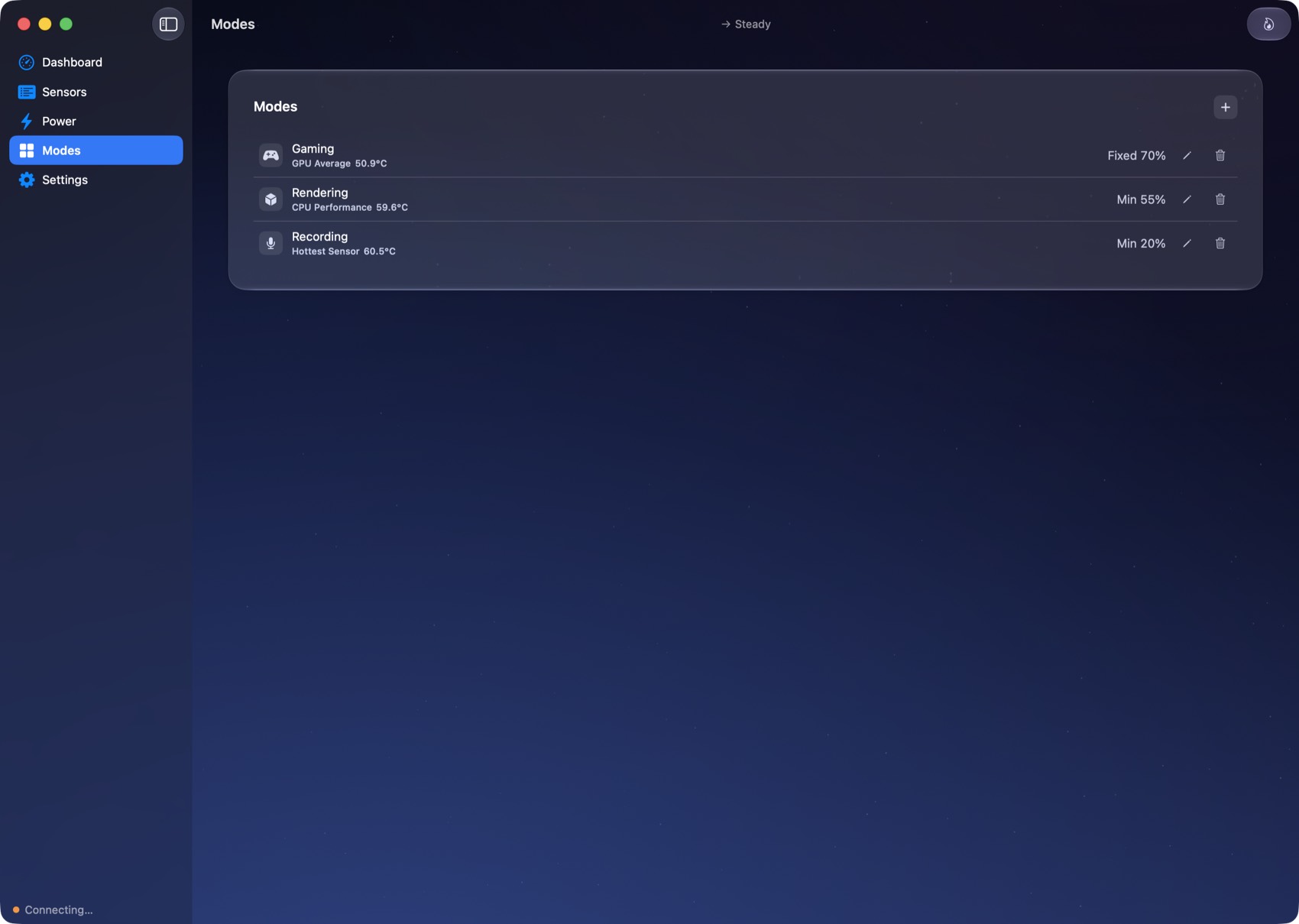
Ours, so judge for yourself: the full tour is here and monitoring is free forever, which means you can run QuellHeat next to any app above and compare readings before paying anyone. What the one-time licence (kr 149, two Macs) adds is control designed around how you actually work: one-click custom modes tied to the sensor you choose, both fans driven from a single decision so they stay matched, a menu bar fan that spins at your real speed, power readings, and a native interface with real Liquid Glass on macOS 26. Safety is the non-negotiable part: macOS thermal protection stays in charge, every write is clamped to your hardware's limits, and the fans hand straight back to Apple automatic if the app quits or crashes.
Pick it if you want free monitoring with no strings, or you switch contexts a lot (calls, gaming, rendering) and want each one to be a single click rather than a settings trip.
A note on terminal tools
There are small open-source command-line fan tools on GitHub. They work, and tinkerers like them, but you give up the safety rails, the menu bar readout, and any kind of interface. Know what you are trading.